
Features
BothSaw’s AI turns what both buyers save, say, and learn into a Buyer Profile that keeps evolving—then applies it to every home. Before a viewing, it also draws on maintained home-buying knowledge to suggest questions, explain why each matters, and leave the choice with the buyers.
Every surface, shown
Start with the Ideate board, follow the same record into search, and see how BothSaw maintains the profile, identifies differences, explains each home’s fit, and carries accepted decisions into agent and task workflows. Mobile capture closes the story.
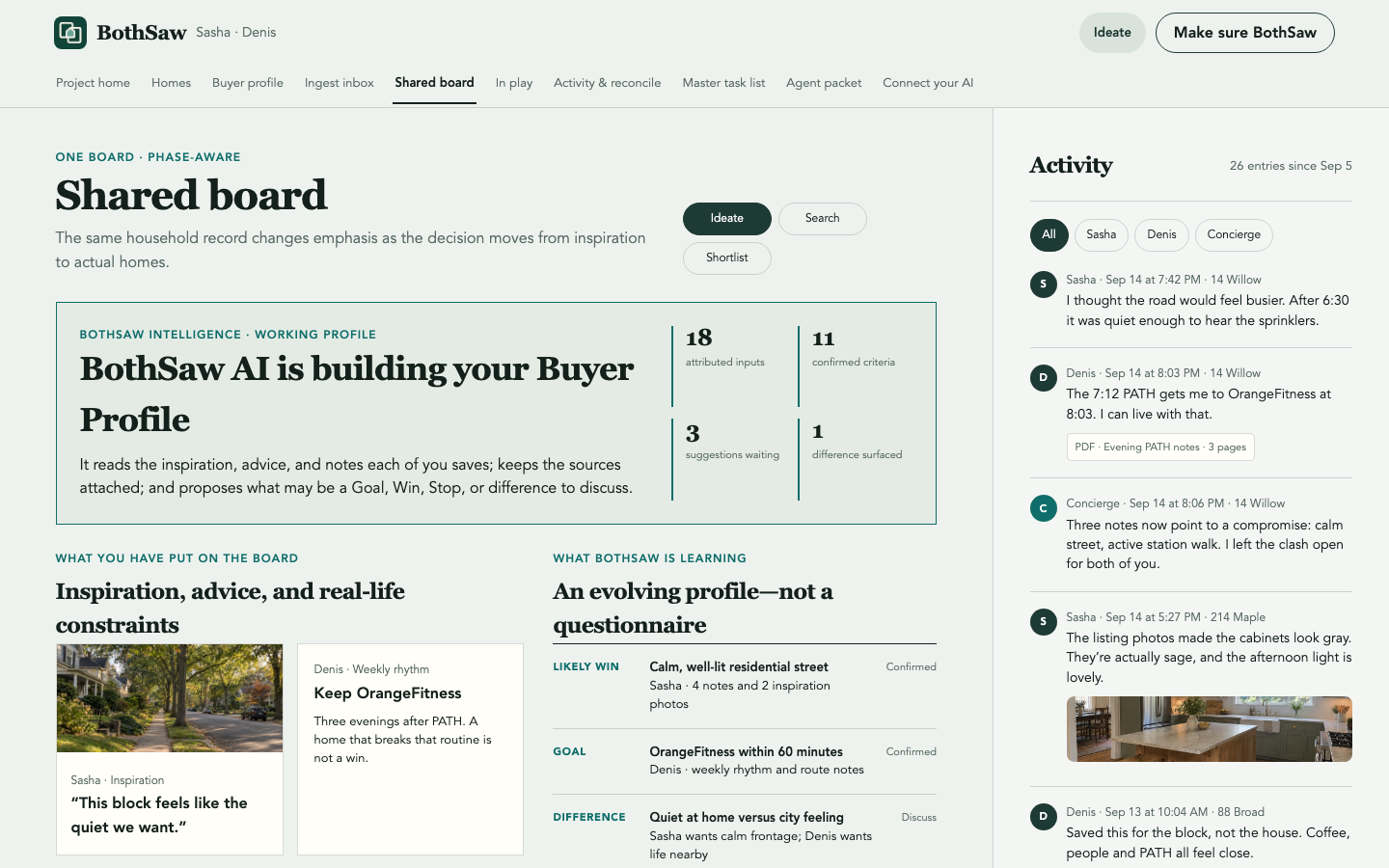
Turn inspiration into a Buyer Profile
On the shared board, BothSaw’s AI reads the attributed inspiration, advice, photos, and notes you collect. It proposes Goals, Wins, Stops, and differences to discuss while each person retains ownership of what becomes confirmed.
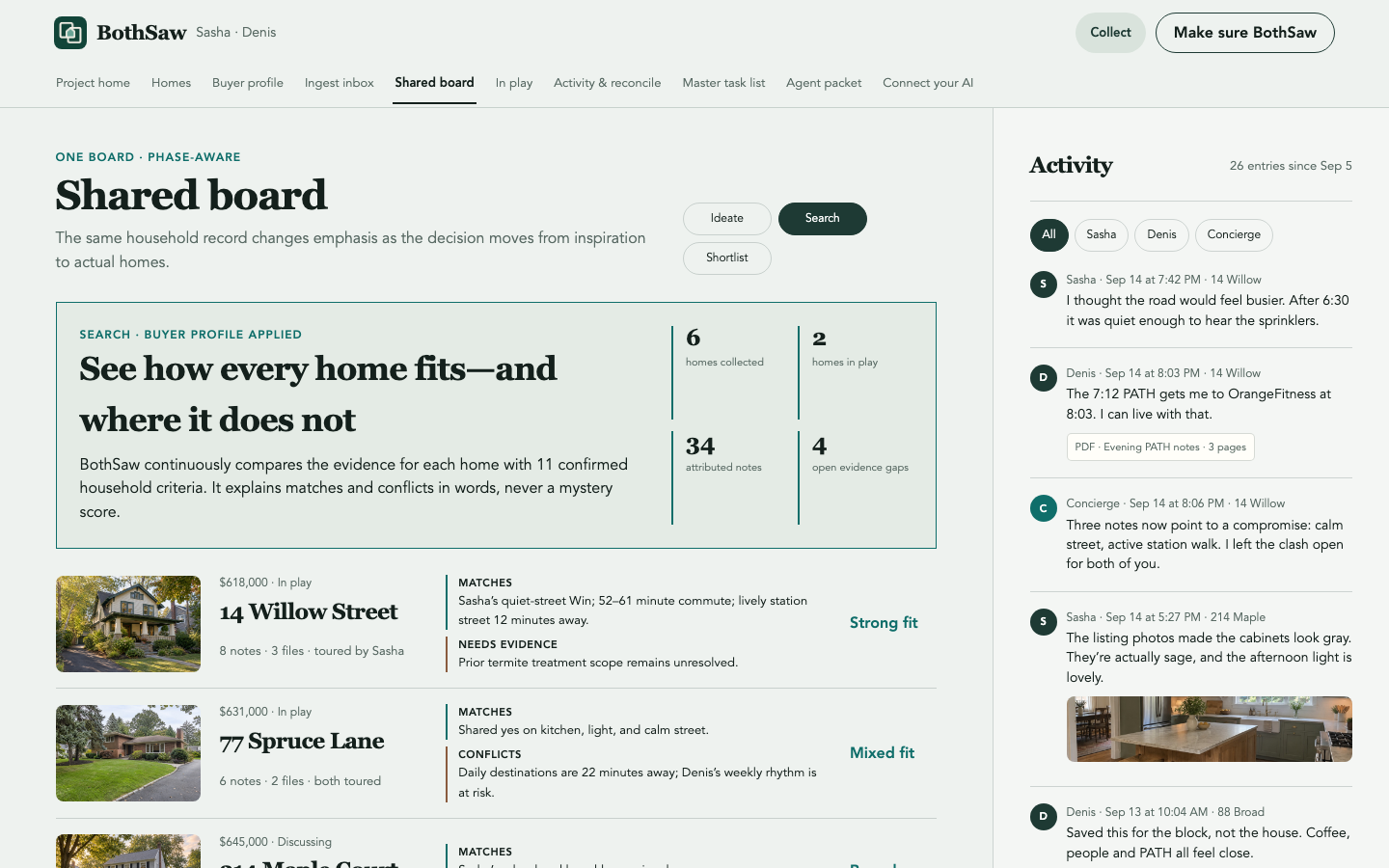
See how every home fits—and where it does not
During search, the same shared board applies the maintained Buyer Profile to every candidate. Matches, conflicts, compromises, and missing evidence remain explainable in words; homes are only marked in play when the household chooses them.
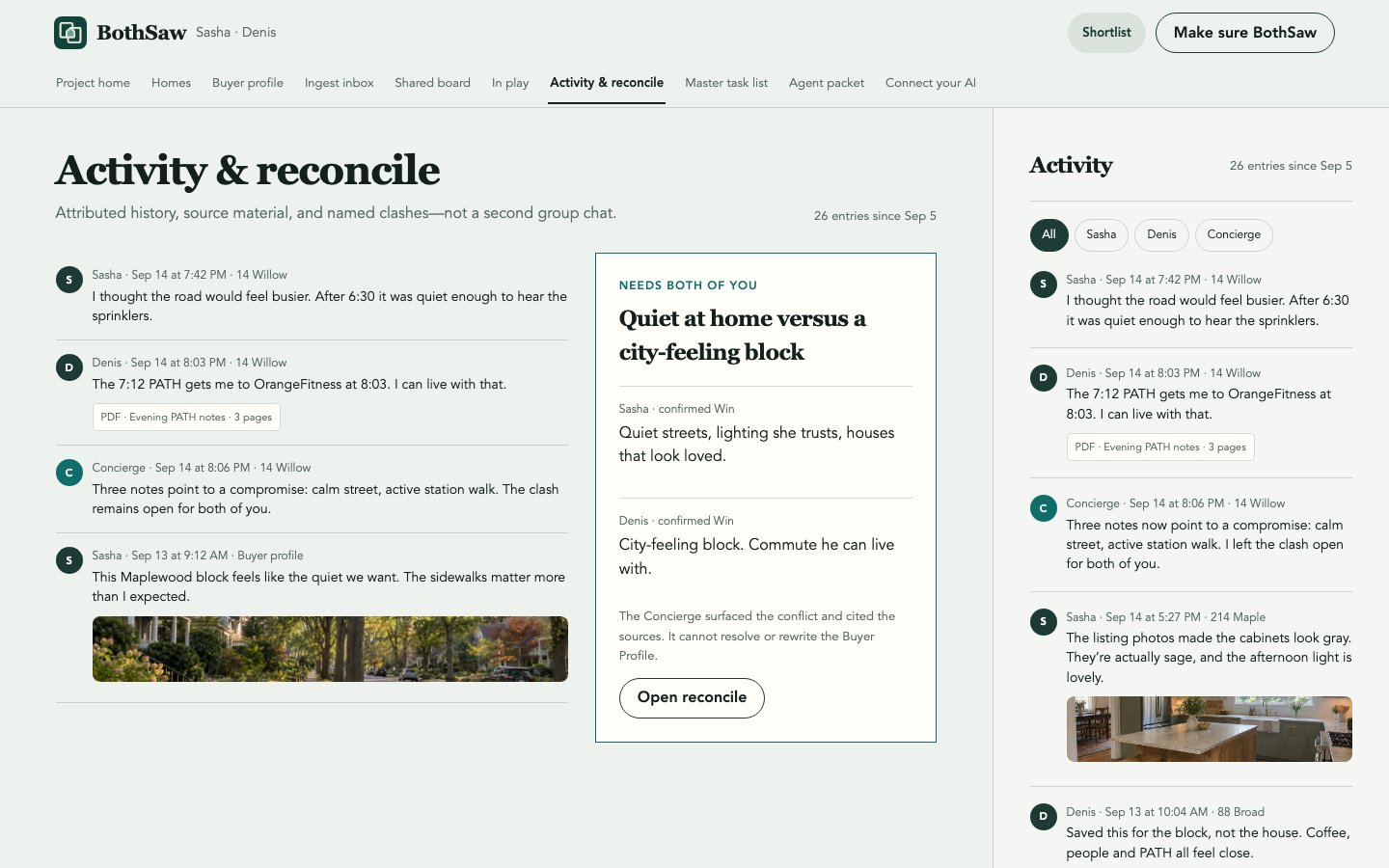
Attributed activity, not a group chat
Every note, photo, document, and suggestion keeps the person, time, and home attached. Filter Sasha, Denis, or Concierge without losing the shared history.
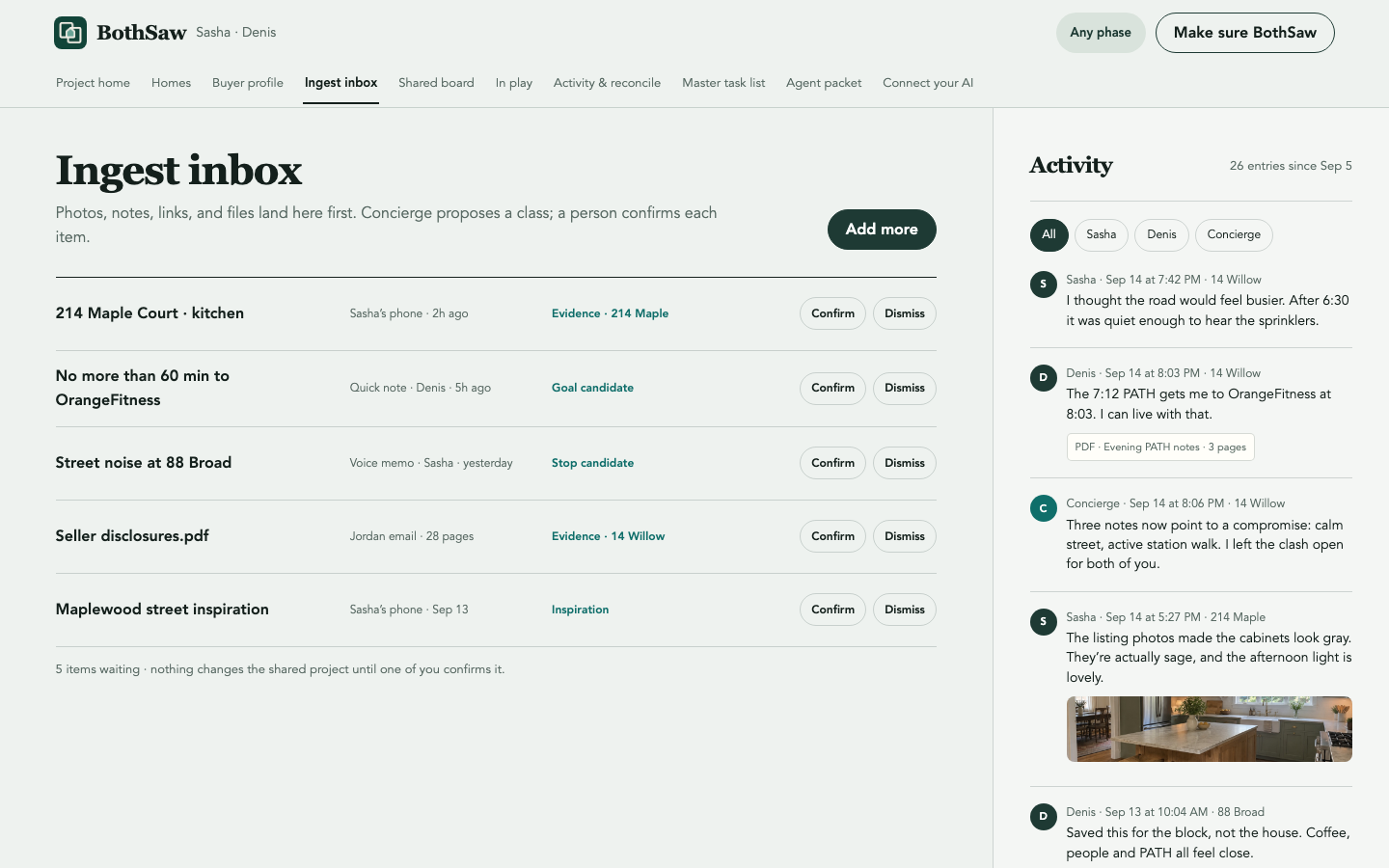
Make sure BothSaw
Drop photos, PDFs, links, or notes into a review queue. Each item keeps its source and proposed classification, and nothing joins the project until a person confirms it.
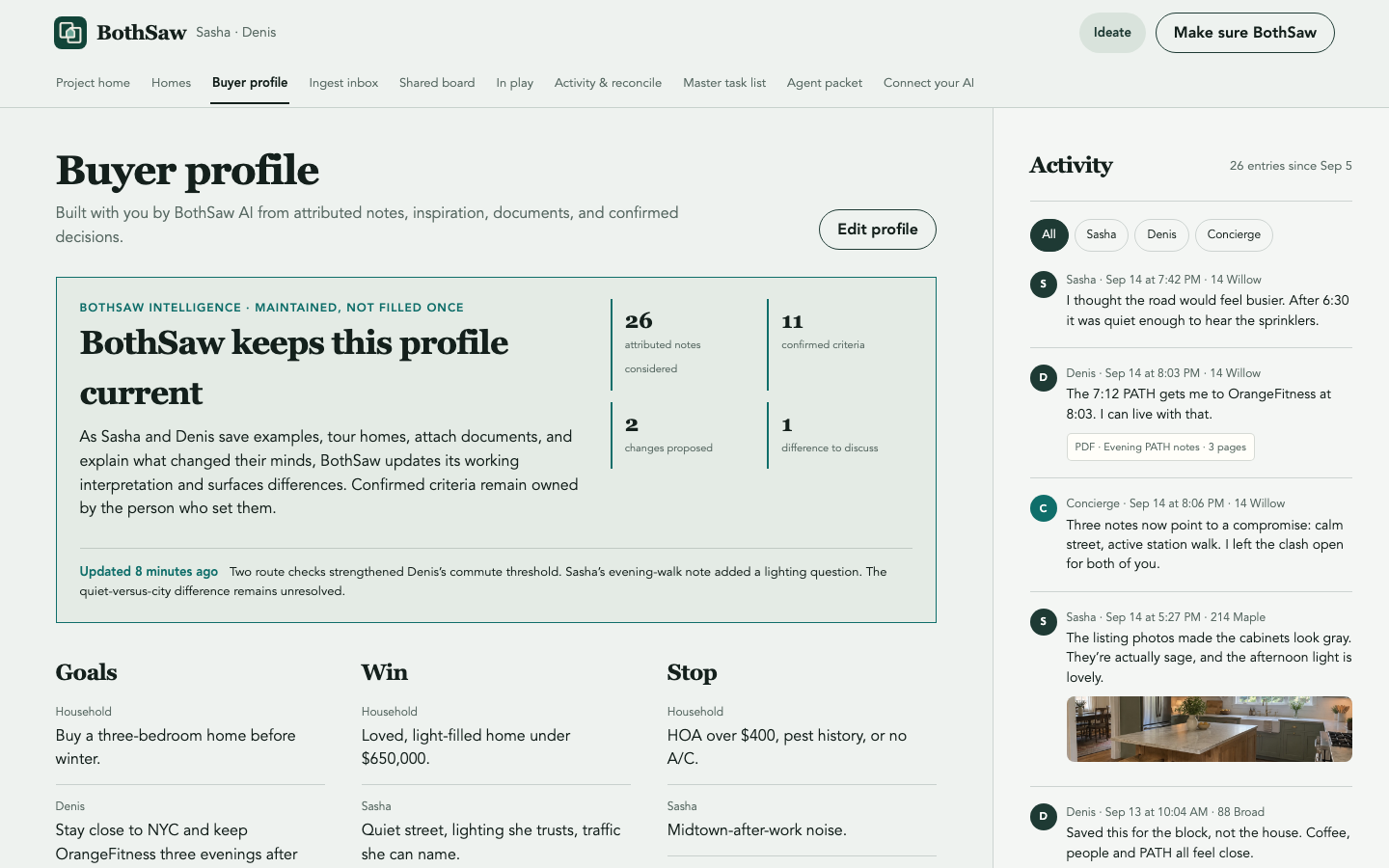
AI builds—and keeps building—the Buyer Profile
BothSaw’s AI maintains a working interpretation from attributed notes, inspiration, documents, route checks, and confirmed decisions. It shows what changed, identifies differences between buyers, cites why, and leaves every proposed profile change for the relevant person to confirm.
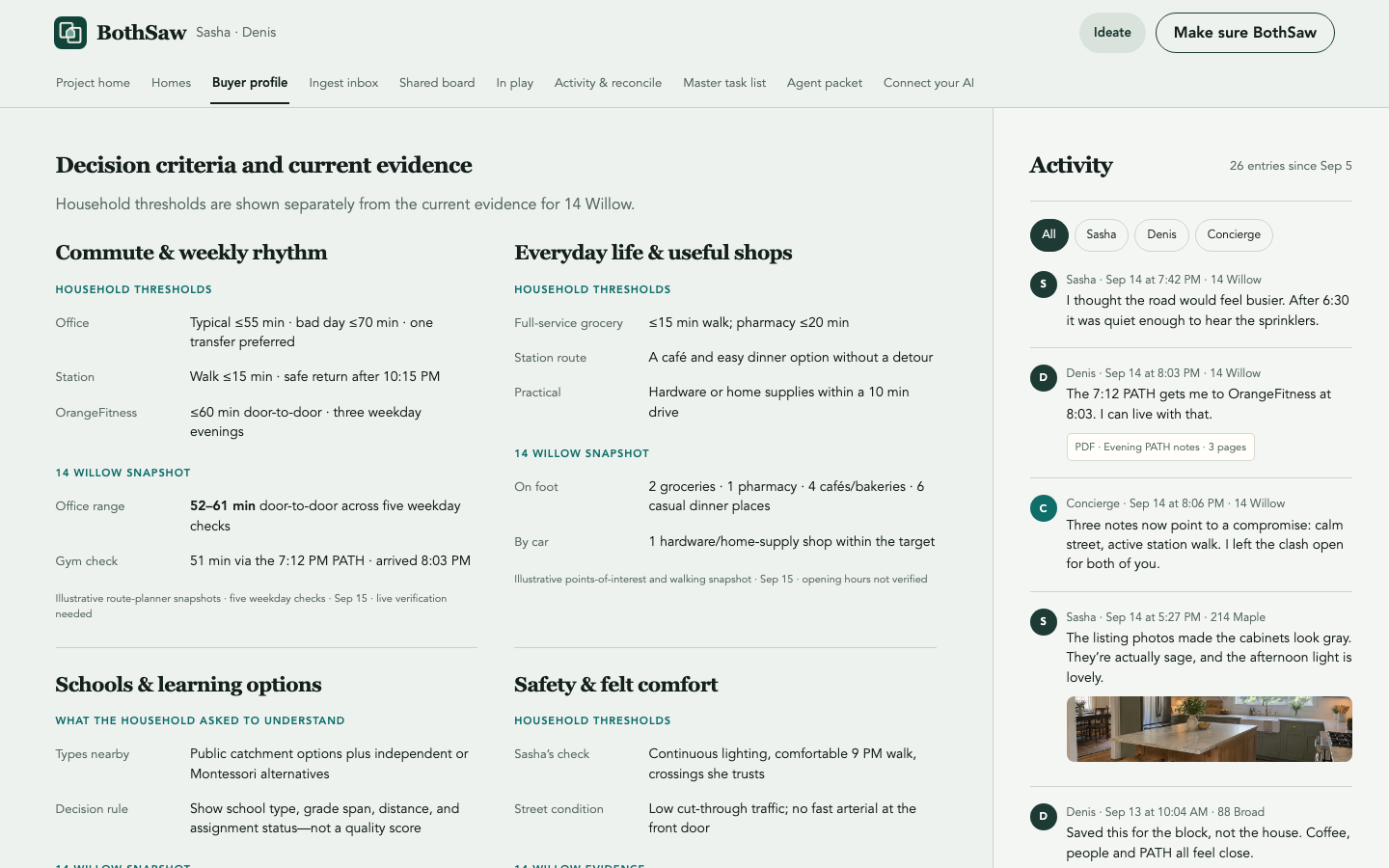
Ground the profile in the life around each home
Commute ranges, useful shops, school types, safety observations, and source freshness sit beside household thresholds. BothSaw uses the evidence to inform the profile without inventing a school, crime, or neighborhood score.
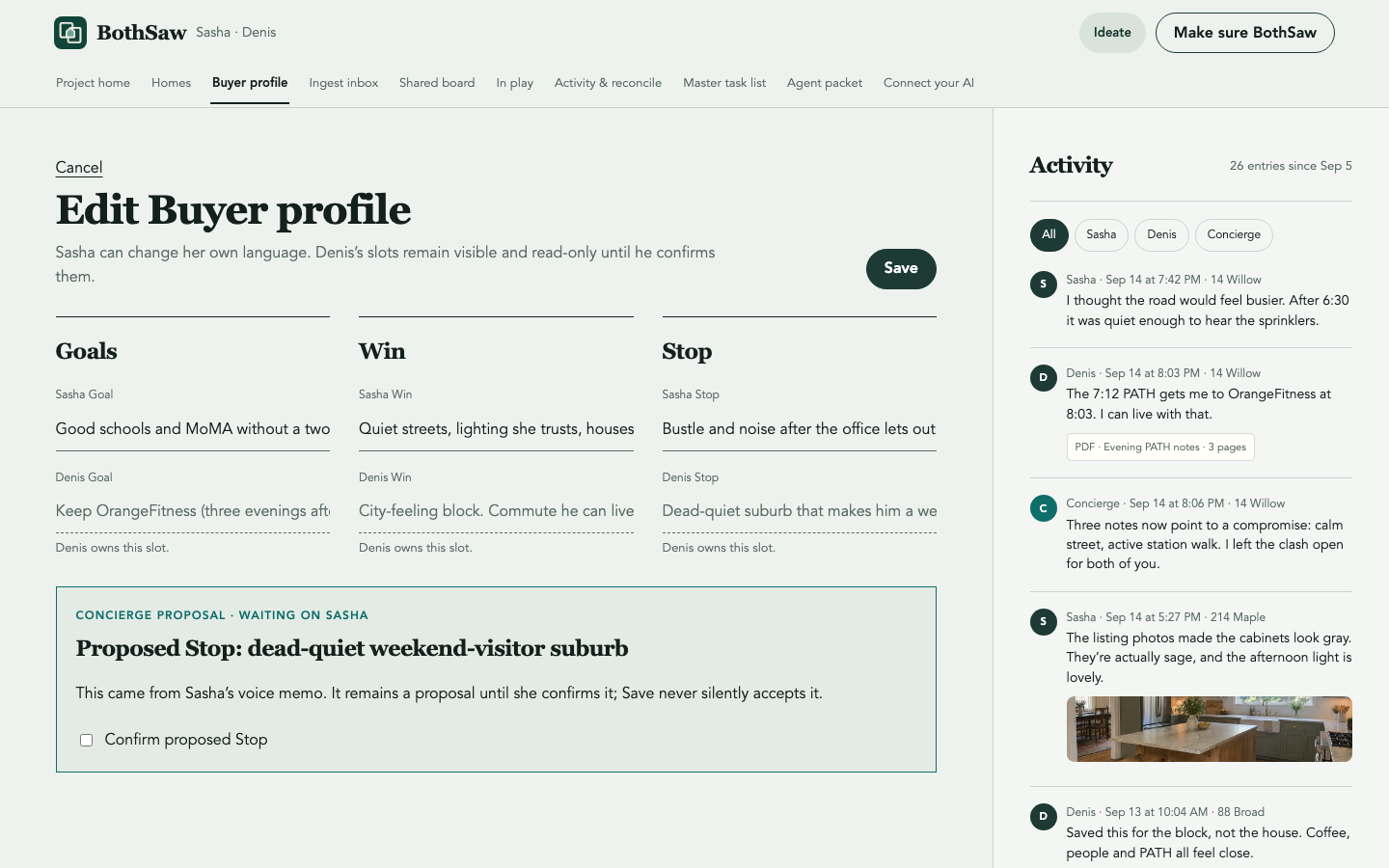
Each person owns their criteria
Sasha edits Sasha’s criteria; Denis owns Denis’s. Concierge suggestions wait for explicit confirmation and cannot silently become a household rule.
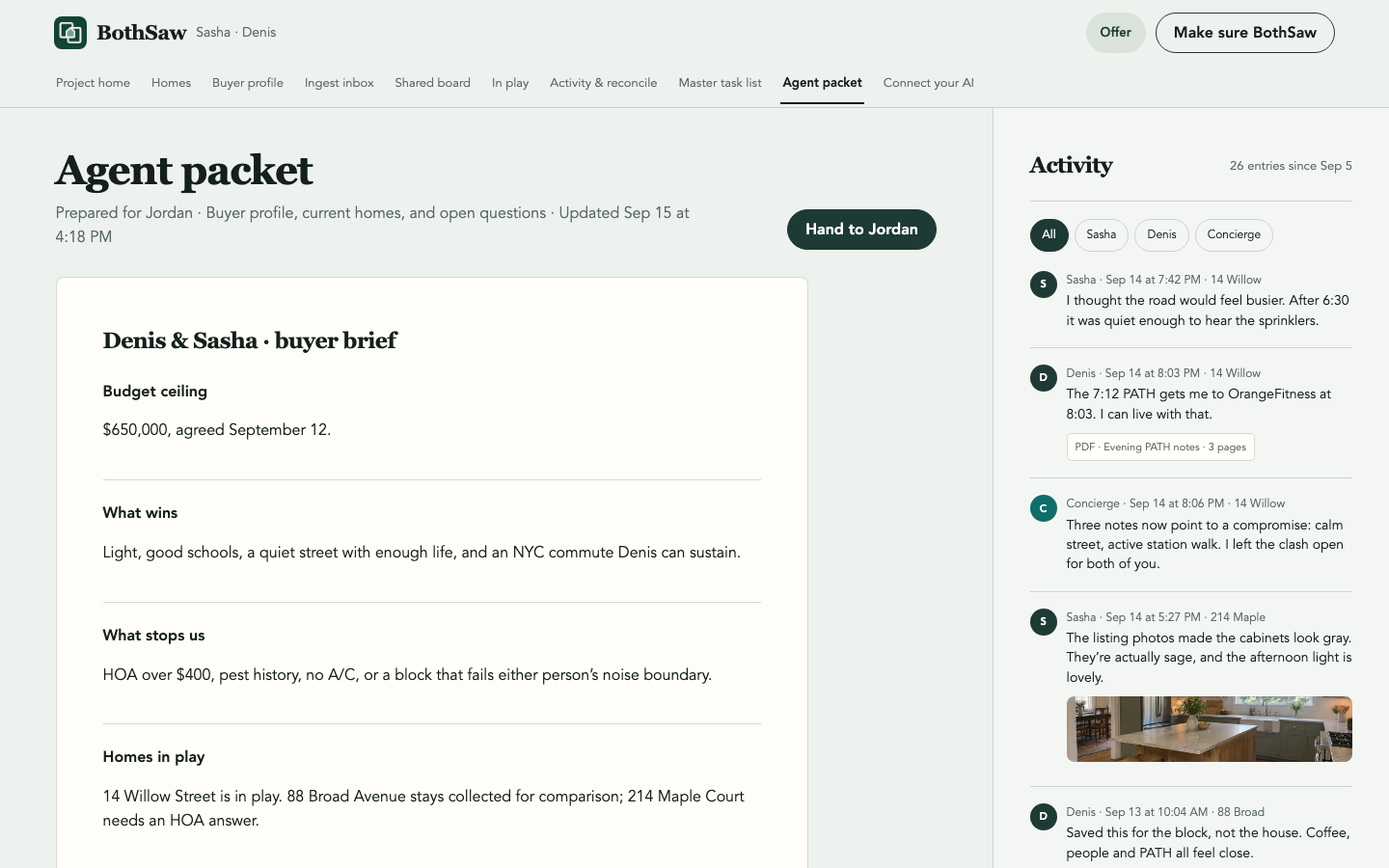
A brief for the agent you already have
Hand across Goals, Wins, Stops, homes in play, and agreed questions. Jordan gets useful talking points—not a marketplace profile or a pretend legal contract.
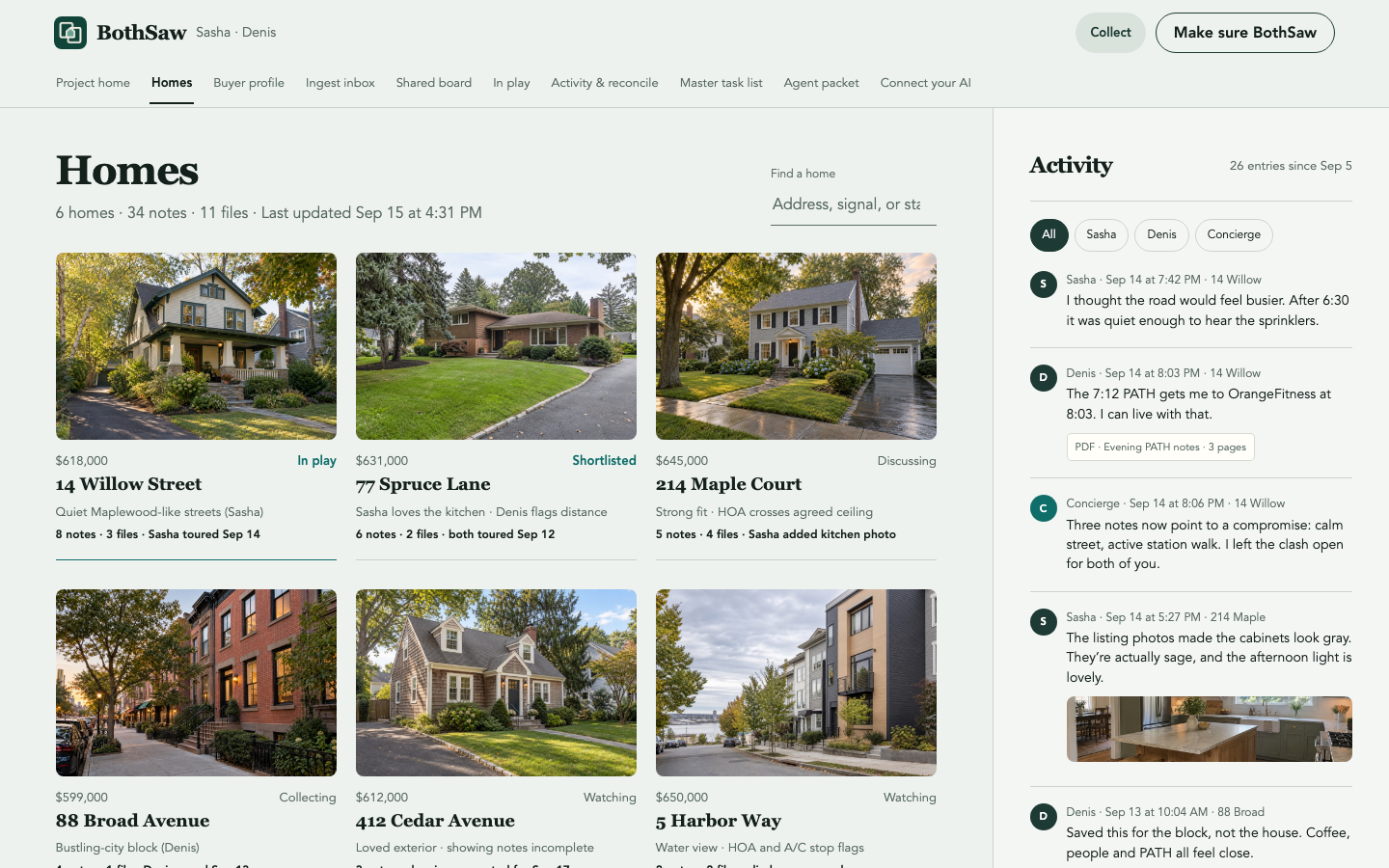
All homes in one searchable collection
Find homes by address, status, or signal. Each row shows the latest human activity and evidence count without turning the household’s judgment into a numeric score.
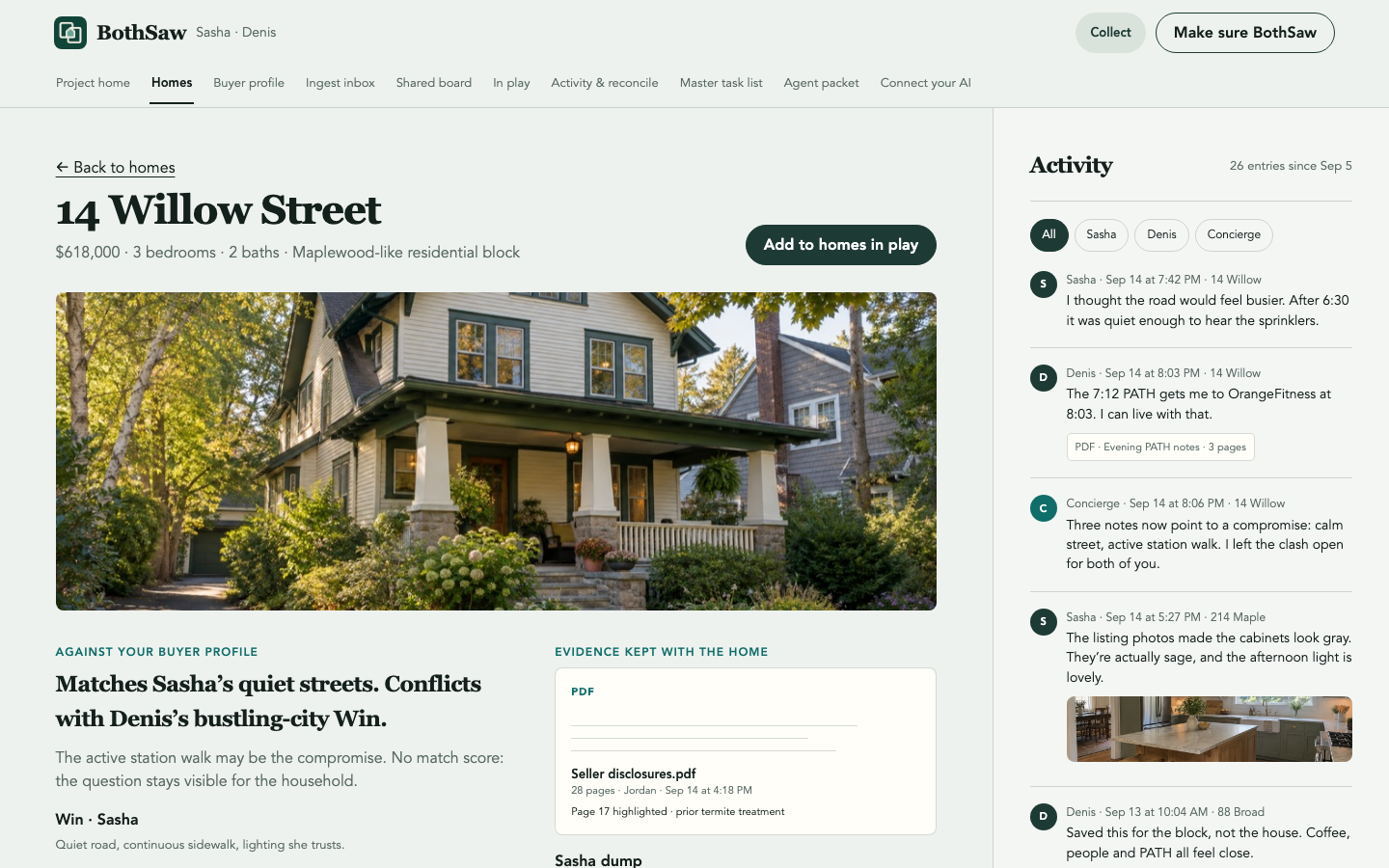
Each home against what matters
Read the listing beside household Goals, Wins, Stops, tour observations, and uploaded documents. Filenames, cited pages, contributors, and unresolved checks remain visible.
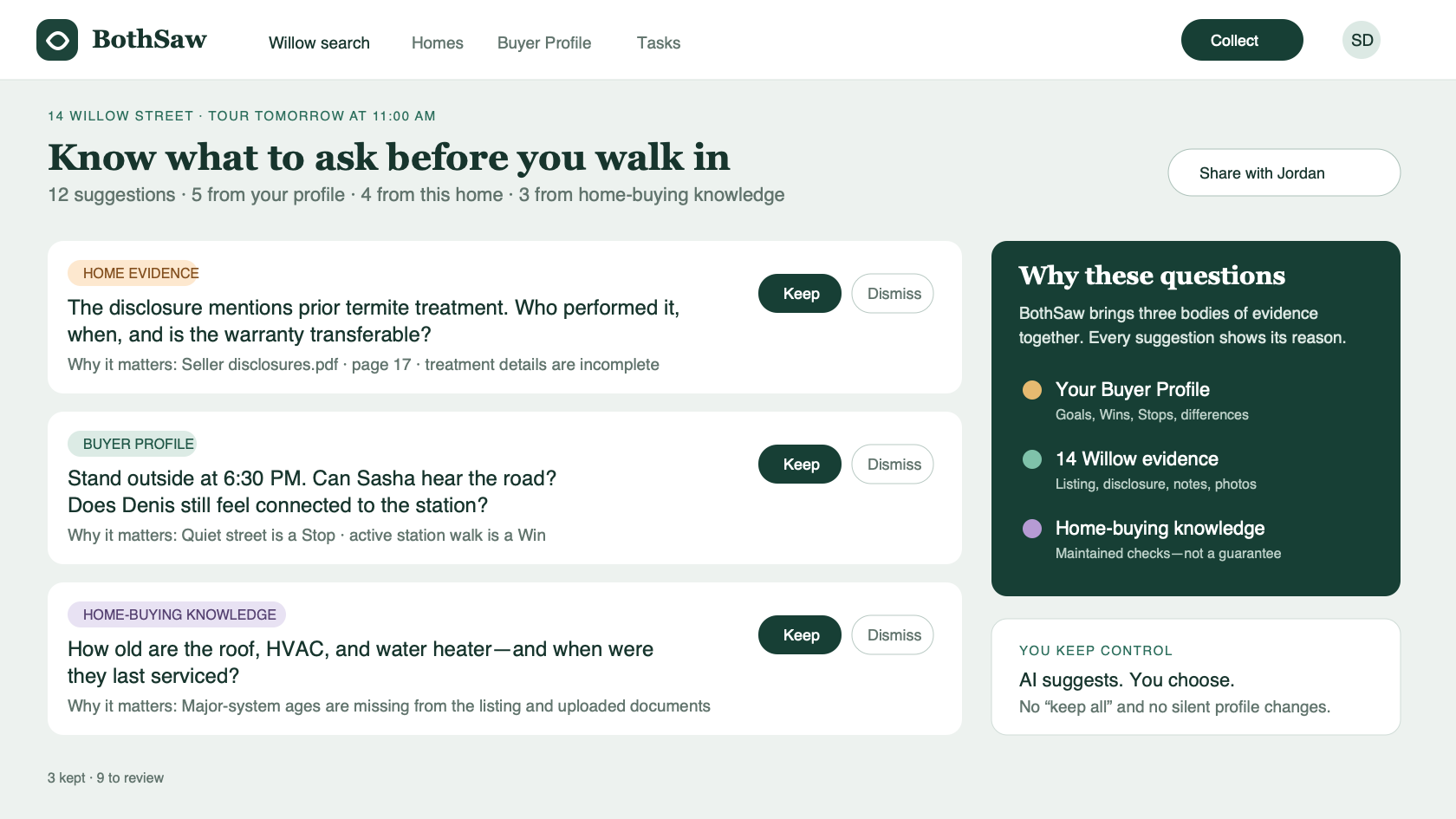
Know what to ask before you walk in
BothSaw’s AI draws from your Buyer Profile, this home’s listing and documents, evidence gaps, and maintained home-buying knowledge to suggest questions for the tour. Every question explains why it matters and where it came from; each buyer chooses what to keep.
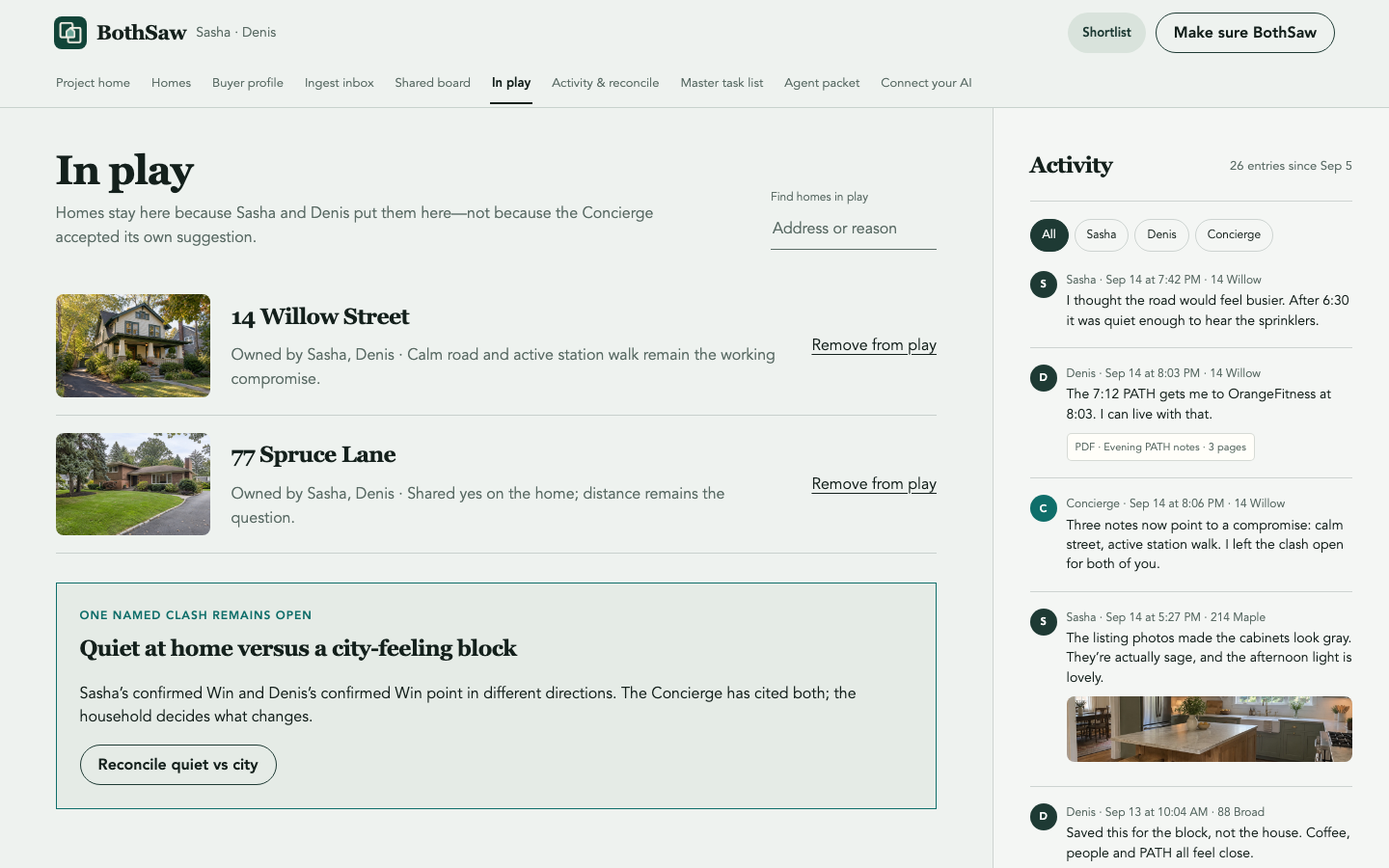
Homes in play are household-owned
People add or remove finalists themselves. Concierge proposals stay proposals; they never silently place a home on the shortlist or accept every suggestion at once.
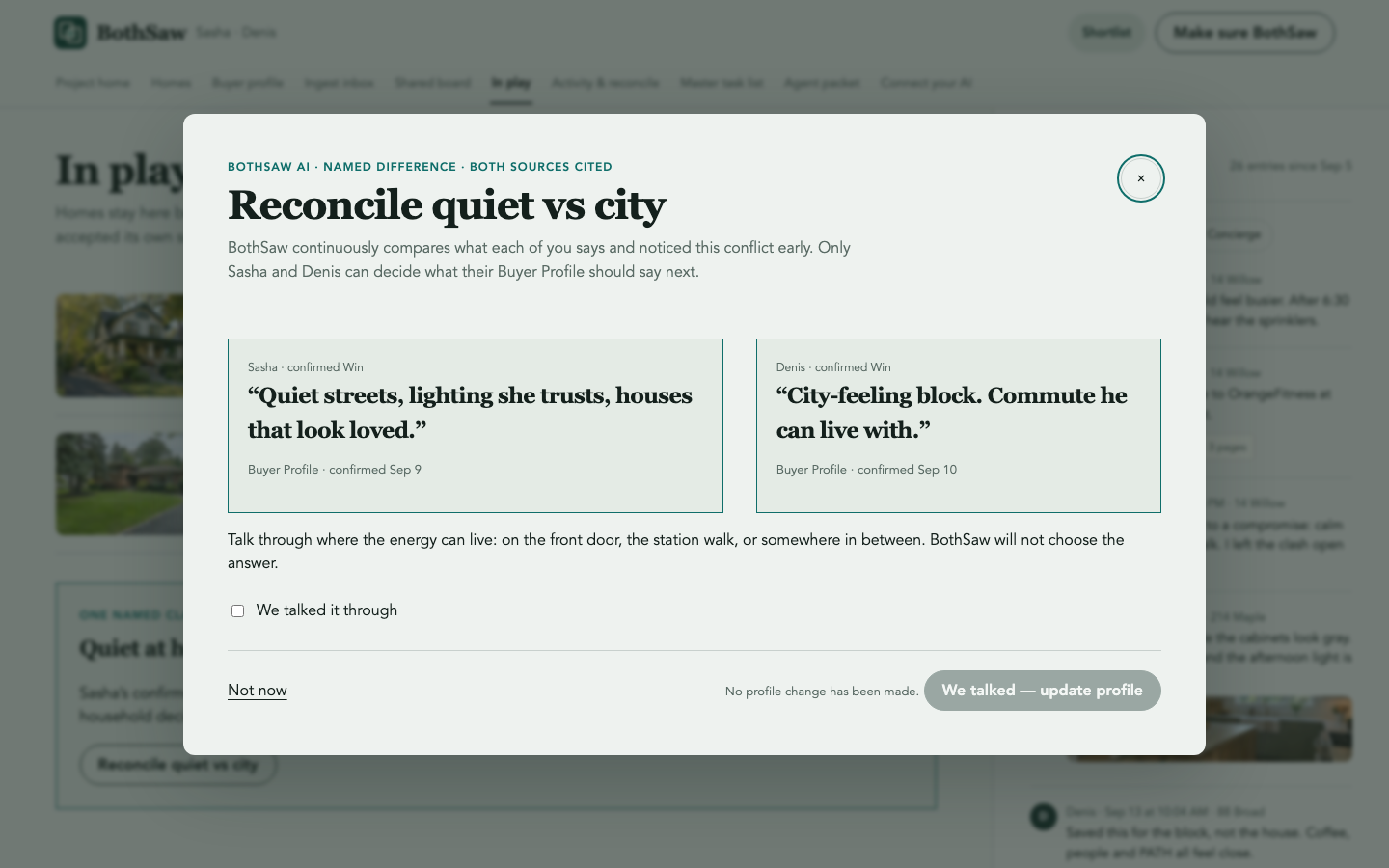
Surface the clash; do not decide it
The Concierge can notice a conflict and cite both people’s own parameters. Both people talk it through, confirm that conversation, and only then update the Buyer Profile.
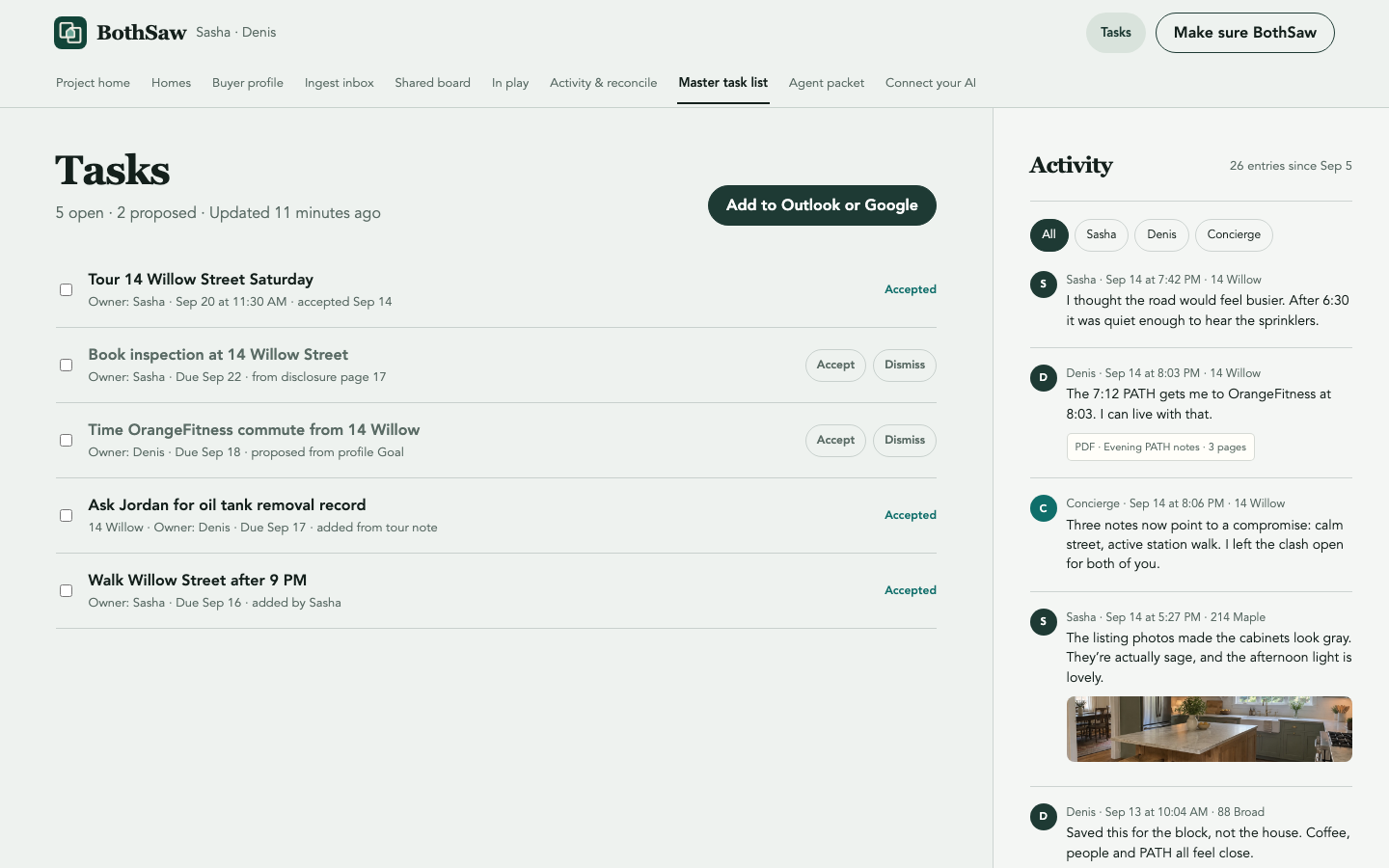
One list across every home
Tours, inspections, commute checks, and agent follow-ups share one list with an owner and due date. Proposed work stays visibly proposed until its owner accepts or dismisses that row.
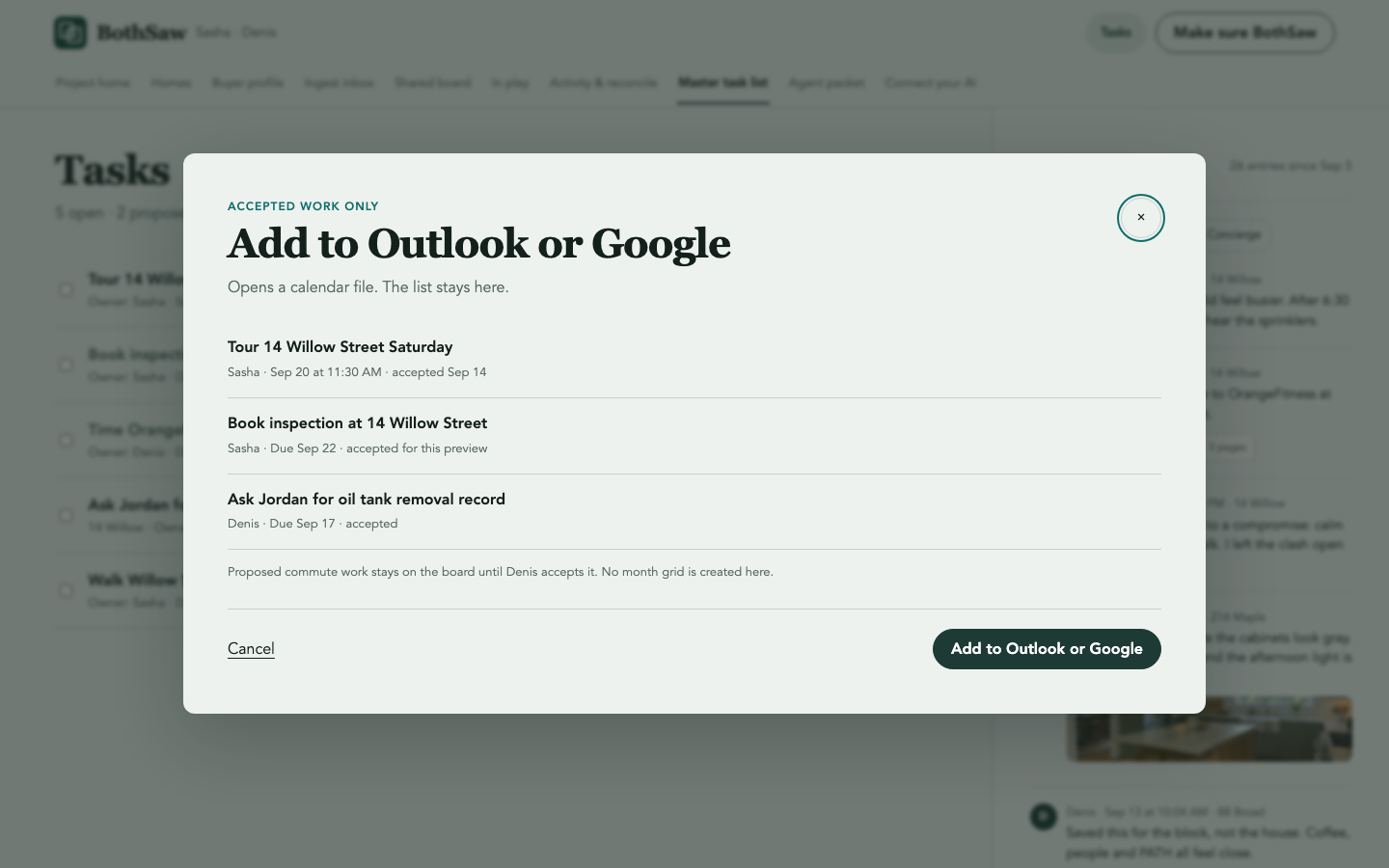
Calendar handoff without a second calendar
Export accepted tasks to Outlook or Google as a calendar file. Proposed tasks stay behind, and the household task list remains the record.
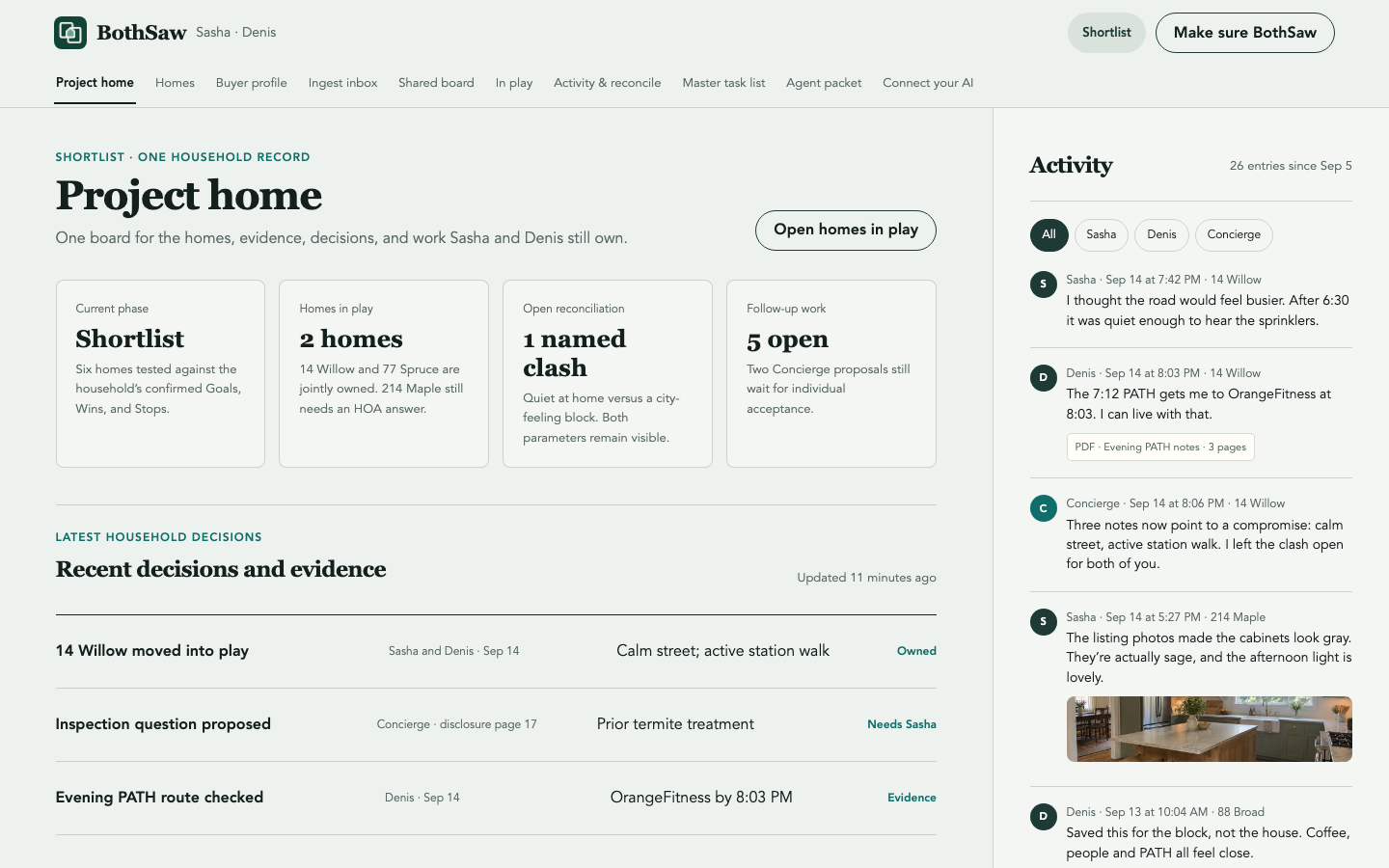
Project home
The original project overview is restored with the current phase, homes in play, open reconciliation, follow-up work, and recent household decisions.
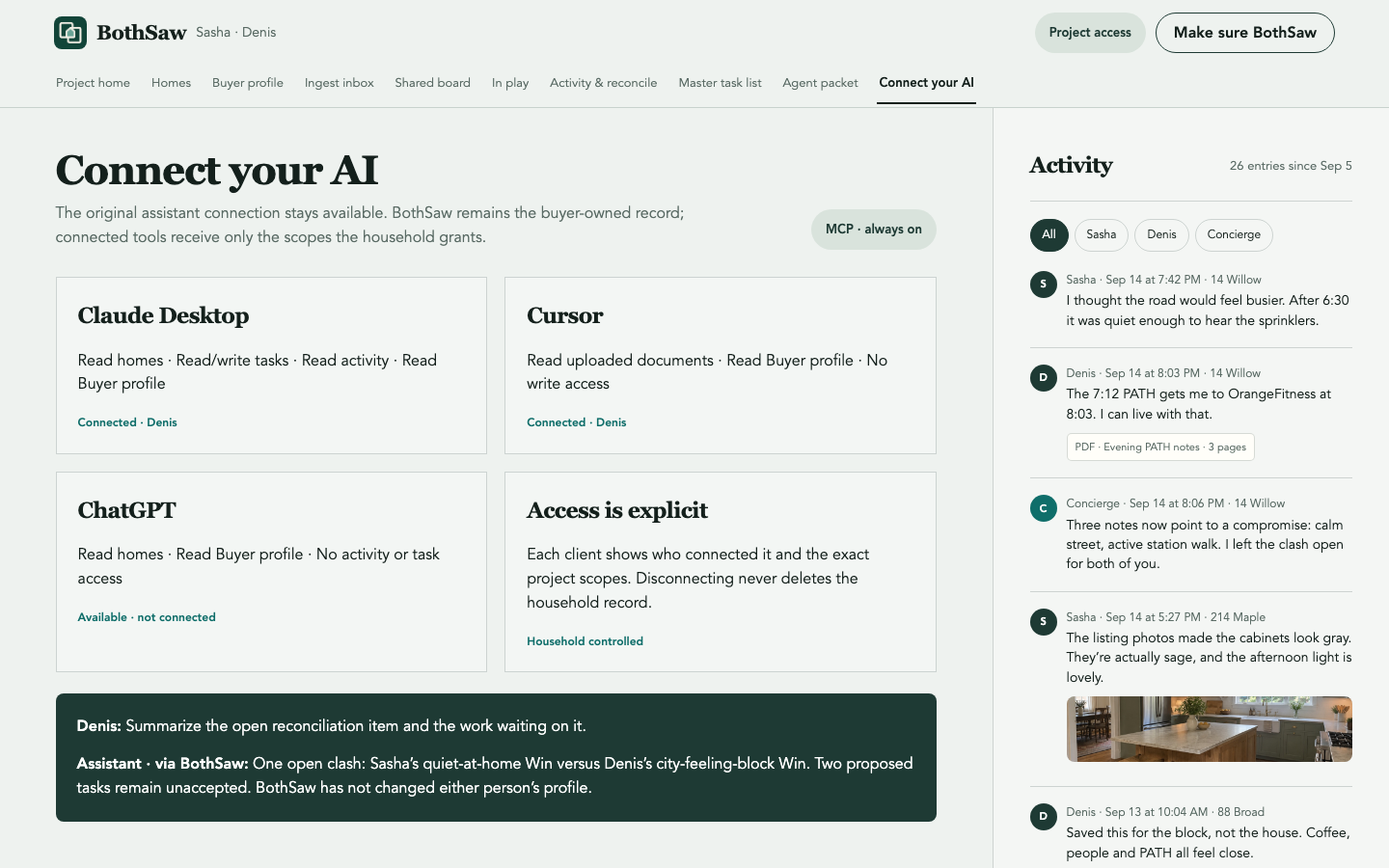
Connect the assistant you already use
BothSaw remains the system of record while connected assistants receive explicit, per-client project scopes. Every connection names its owner and access.
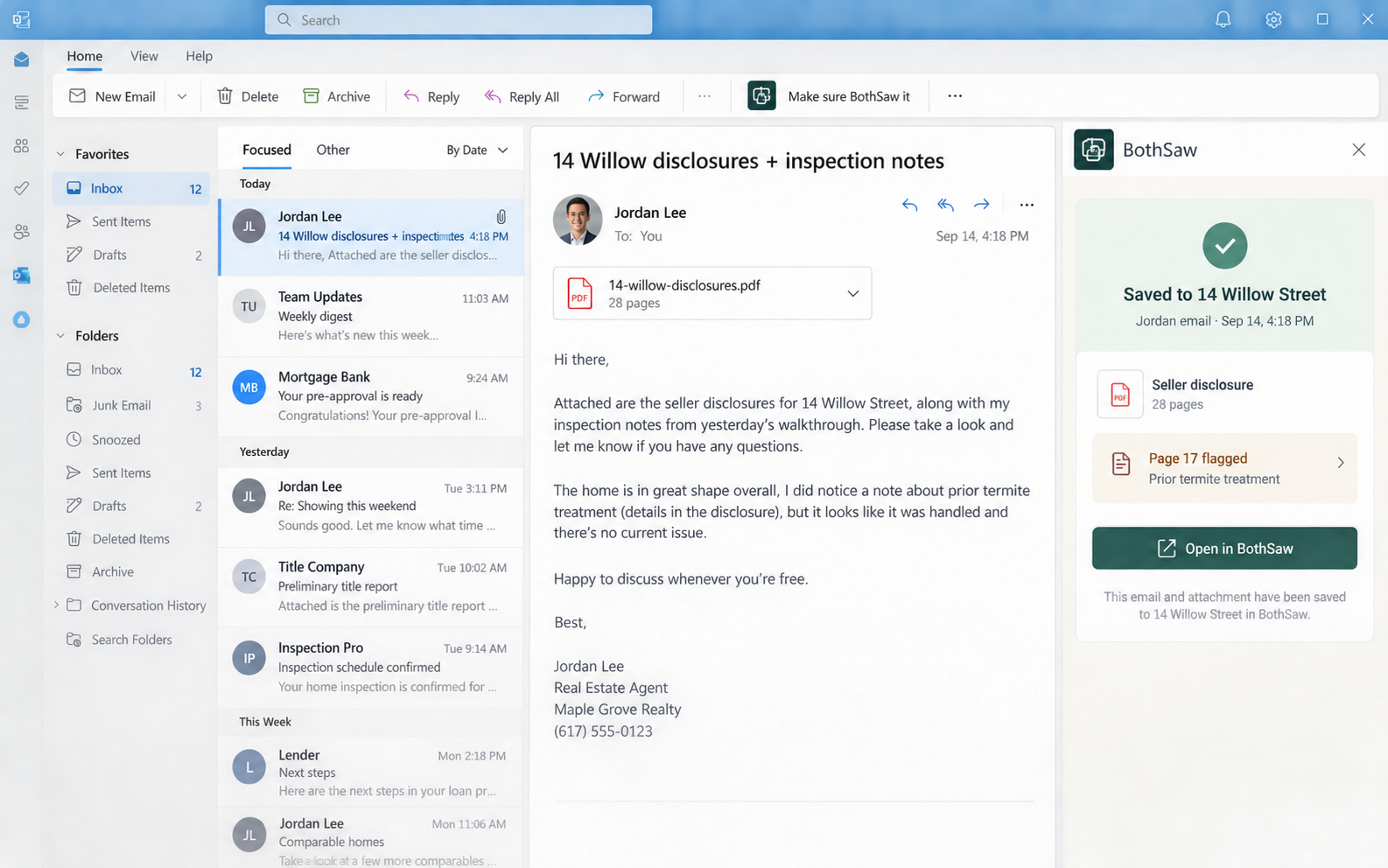
Make sure the email BothSaw it
Save an agent’s email and attachment from Outlook to the right home while preserving the sender, time, source file, and proposed classification.
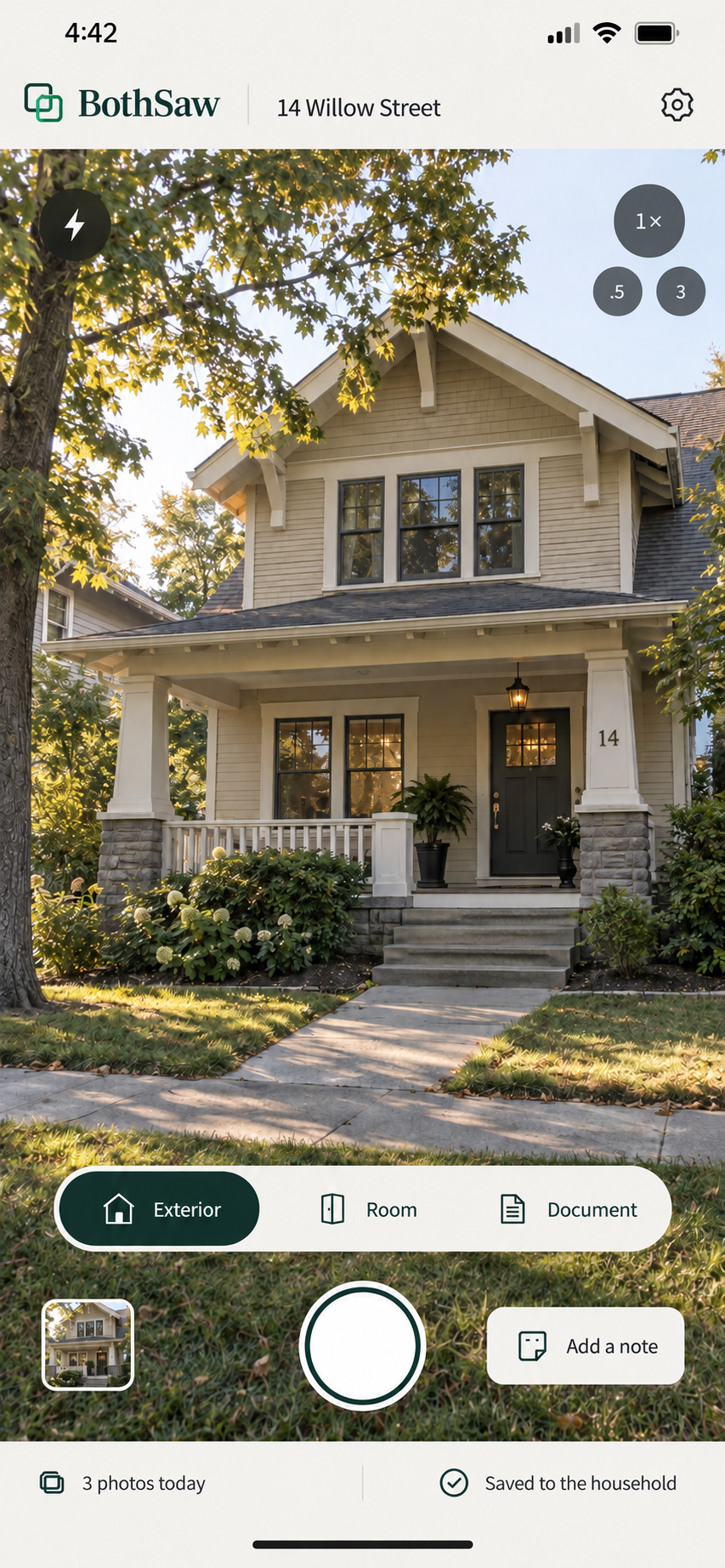
Take the tour with you
Photograph the exterior, a room, or a document while walking the home. Every capture is already attached to the address and household.
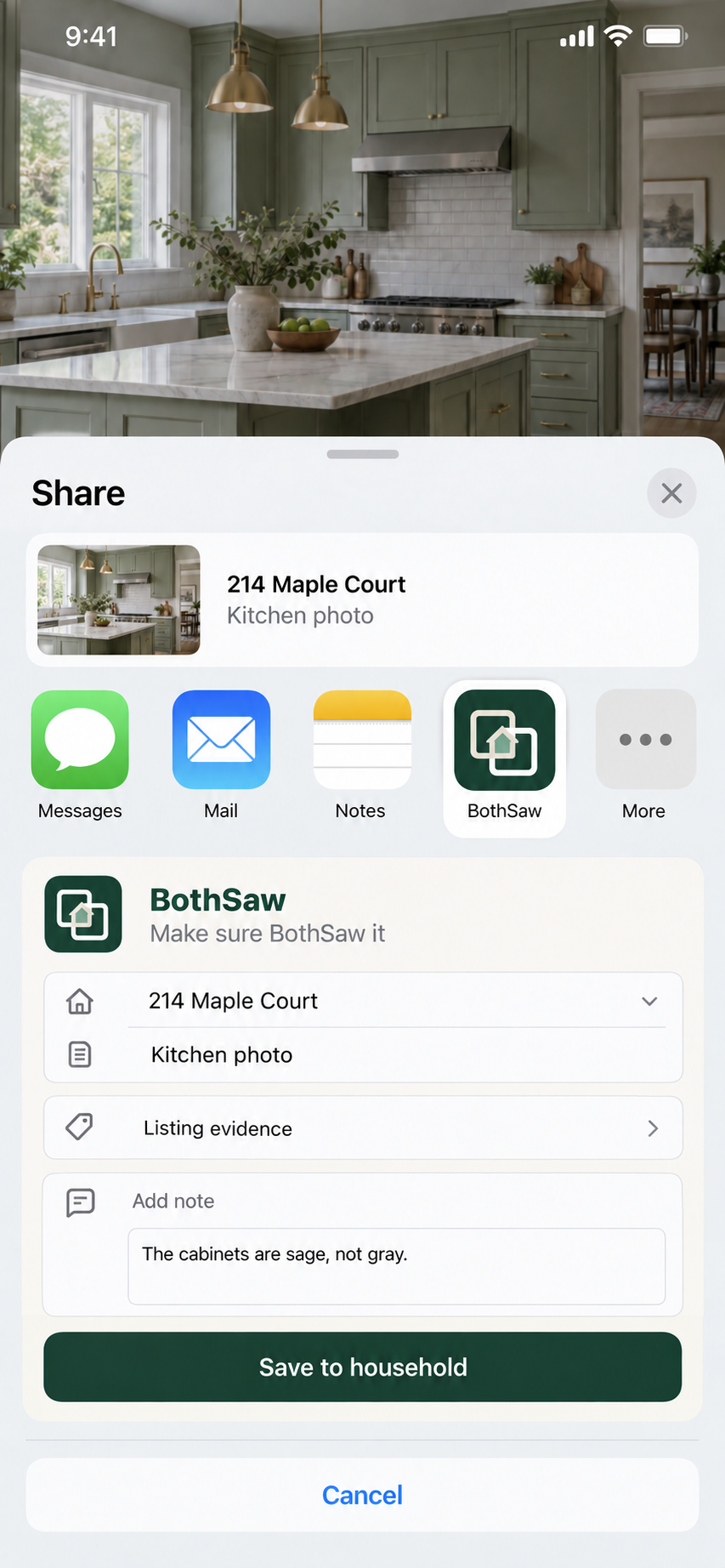
Share from iPhone
Send a listing, room photo, or document to BothSaw from the standard iOS share sheet, then preview its destination and classification before saving.
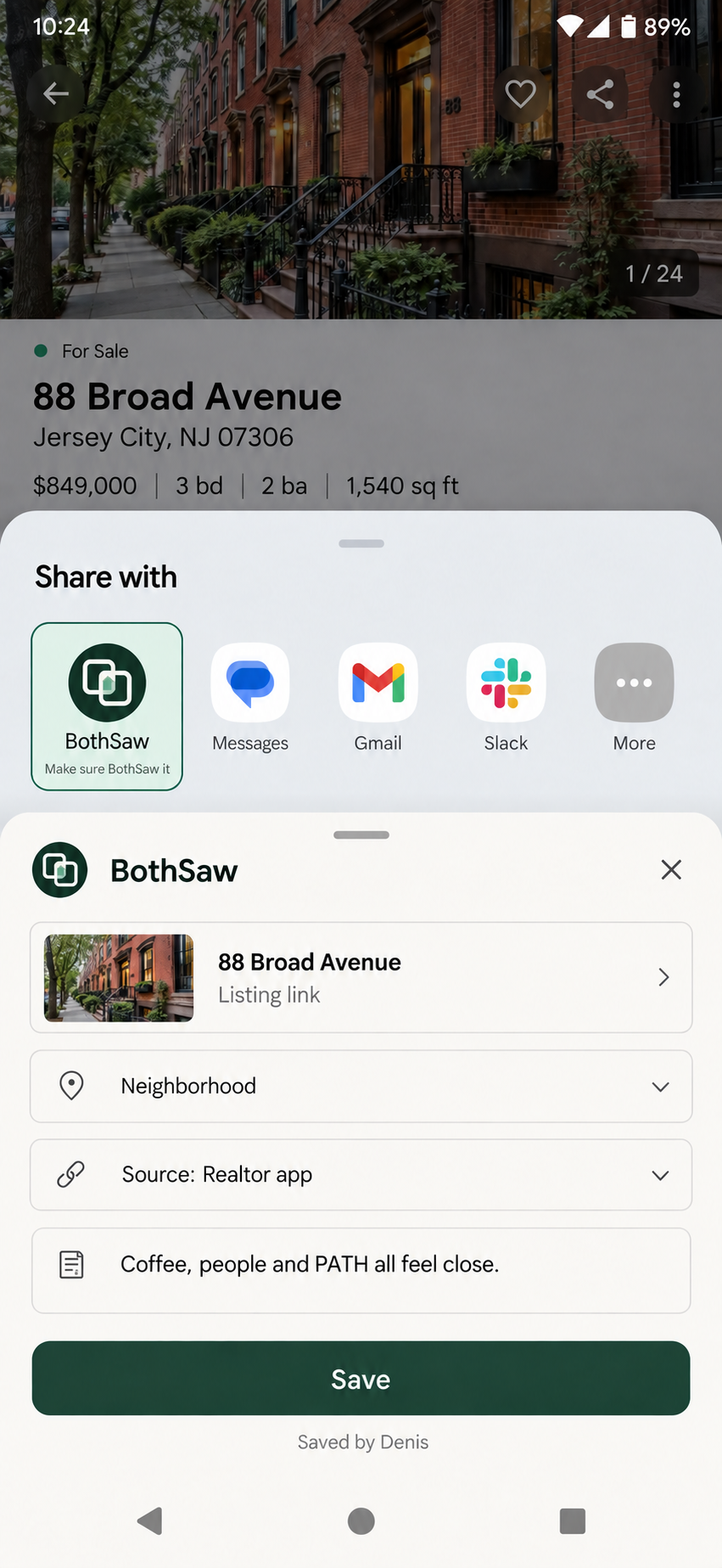
Share from Android
Capture a listing from the Android Sharesheet while keeping the originating app, home, evidence type, note, and contributor visible.